
The CartDoctor Journey
Checkout abandonment happens for three distinct reasons. No single tool addresses all of them. Here is what actually works for each one.

Install & Activate
2 minutes

Silent Observation
Days 1 – 7

AI Diagnosis
Automatic, daily

Review & Act
Your dashboard

Track Improvement
Ongoing

Repeat
Continuous
Sessions stored in your WordPress database, not on external servers. Minimal performance impact: vanilla JS, no jQuery, no external scripts loaded on the frontend.
2 MINUTES
Install & Setup
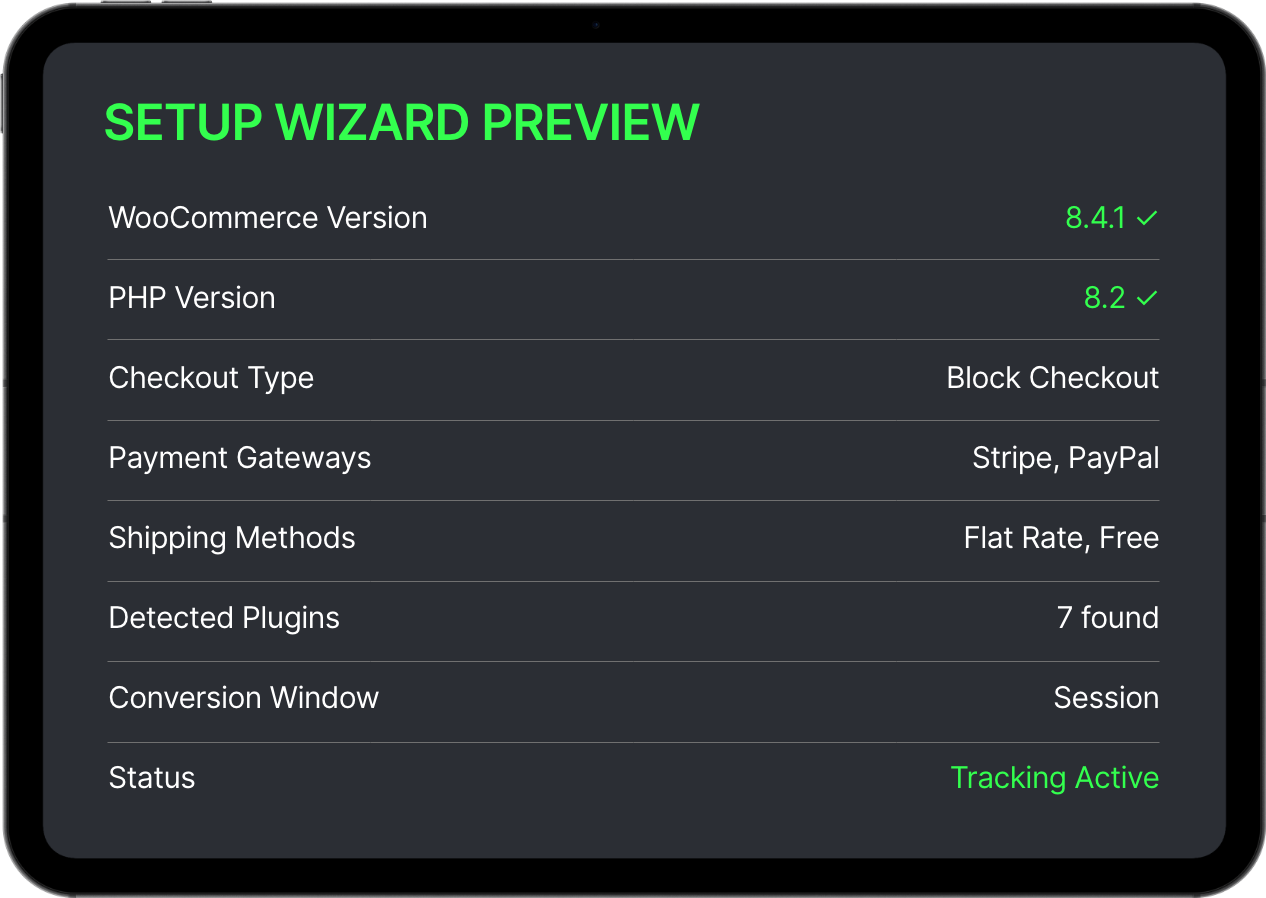
Upload the plugin from your WordPress dashboard or install it directly from WordPress.org. Activate it, and CartDoctor launches a 5-step setup wizard that takes about two minutes.
The setup wizard walks you through:
1. Welcome + System Check
Verifies your WooCommerce version and PHP version meet requirements.
2. Checkout Auto-Detection
Automatically detects your checkout type (Classic shortcode or Block) and installed plugins.
3. Notification Email
Set where you want your weekly digest delivered.
4. Conversion Window
Choose how long to track a session: same session, 1-day cookie, or 7-day cookie.
5. Done — Tracking Begins
CartDoctor starts monitoring checkout sessions immediately.
Sessions stored in your WordPress database, not on external servers. Minimal performance impact: vanilla JS, no jQuery, no external scripts loaded on the frontend.
DAYS 1 – 7
Silent Observation
CartDoctor loads a lightweight JavaScript tracker (under 5KB gzipped) on your cart, checkout, and order-received pages. It works silently in the background, invisible to your customers.
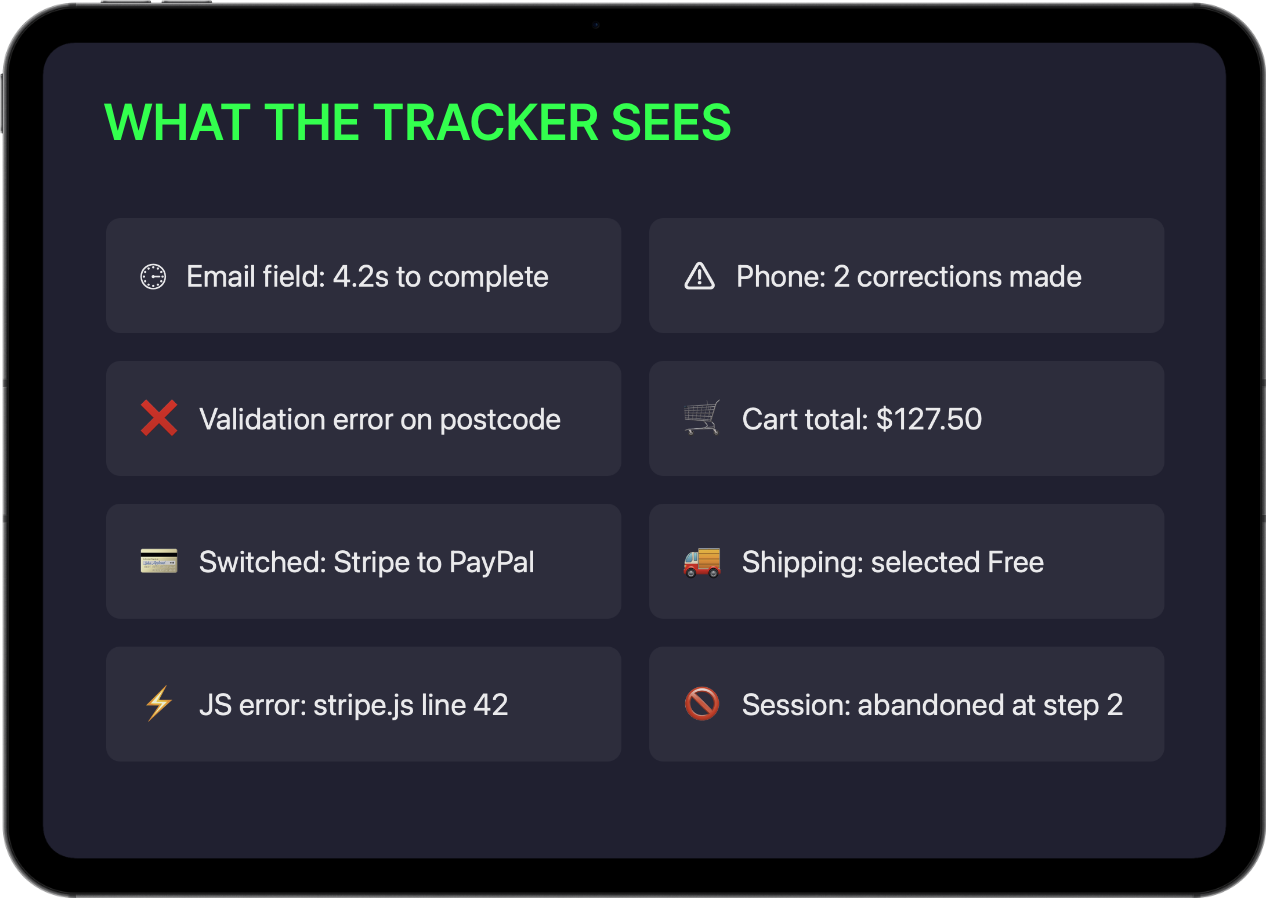
The tracker monitors:

Field interactions — focus, blur, timing, corrections
Cart data — products, totals, shipping, coupons
Payment and shipping method selections
Validation errors shown to the customer
JavaScript errors and network failures
Checkout step progression and timing
What it NEVER captures:

Names, emails, phone numbers, addresses
Passwords or card numbers
Actual field values for personal data
CartDoctor only tracks whether fields are filled, how long they take, and whether they produce errors — never the content typed into them.
AUTOMATIC, DAILY
AI Diagnosis
Once CartDoctor collects at least 10 completed or abandoned sessions, the AI kicks in. WP-Cron triggers daily analysis automatically — you don't need to do anything.
AI analysis is available on the Pro plan. Free users see their checkout stats and revenue at risk. Upgrade to Pro to unlock AI-powered diagnostics, prioritized issue detection, and fix recommendations.
How the analysis works:

Sessions are batched (up to 50 per run) and sent to a secure analysis endpoint
Communication is server-to-server, HMAC-authenticated — your data never passes through a browser
AI receives session data + your store context: checkout configuration, payment gateways, shipping methods, detected plugins, and any existing issues
AI returns structured issue objects with actionable details
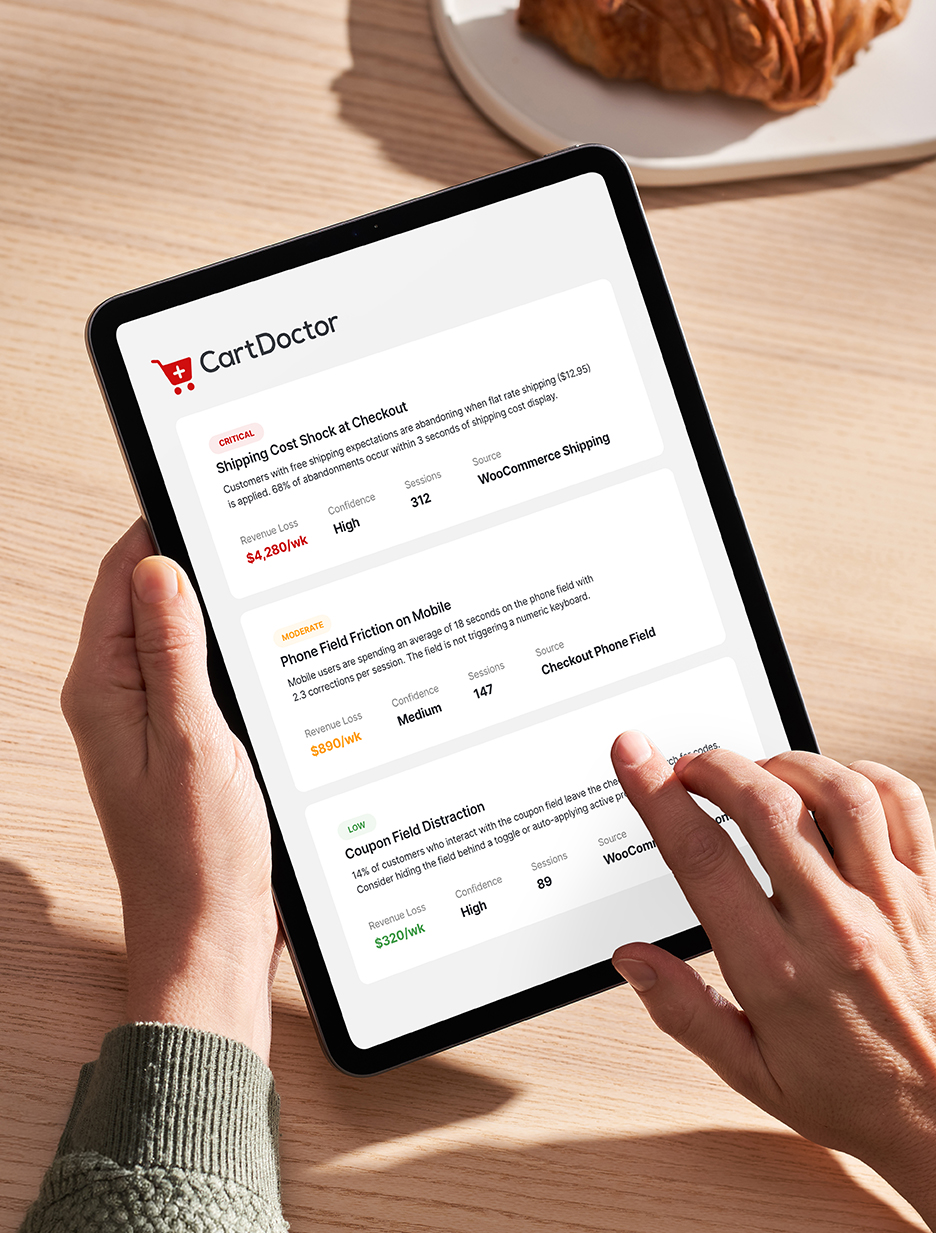
Each issue returned includes:
Title and description of the problem
Severity rating: critical, moderate, or low
Category (UX, technical, payment, shipping, etc.)
Specific fix recommendation
Confidence level: high, medium, or low
Estimated weekly revenue loss
Number of affected sessions
Source plugin and source field (when applicable)
DAYS 1 – 7
Silent Observation
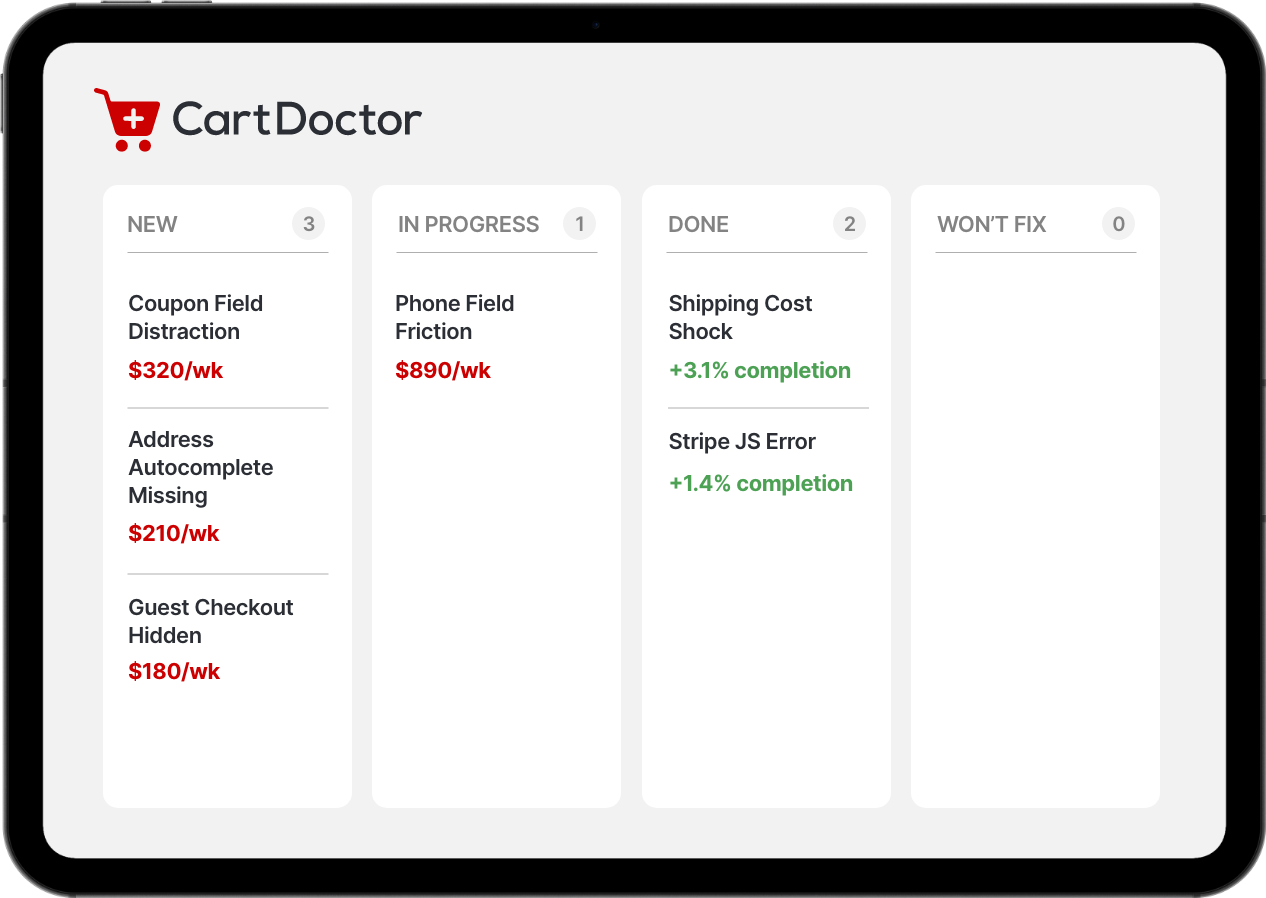
Open your CartDoctor dashboard in wp-admin and see your Kanban board with issues organized by status. No external tools, no extra logins — everything lives inside WordPress.
Each issue card shows everything you need:
What's wrong— a clear description of the friction point
Why it matters— severity and affected session count
How much it costs you— estimated weekly revenue loss
What to do about it— specific fix recommendation
Drag issues to "In Progress" when you start working on them. Move to "Done" when fixed — CartDoctor records your baseline checkout completion rate at that moment so it can measure improvement.
DAYS 1 – 7
Silent Observation
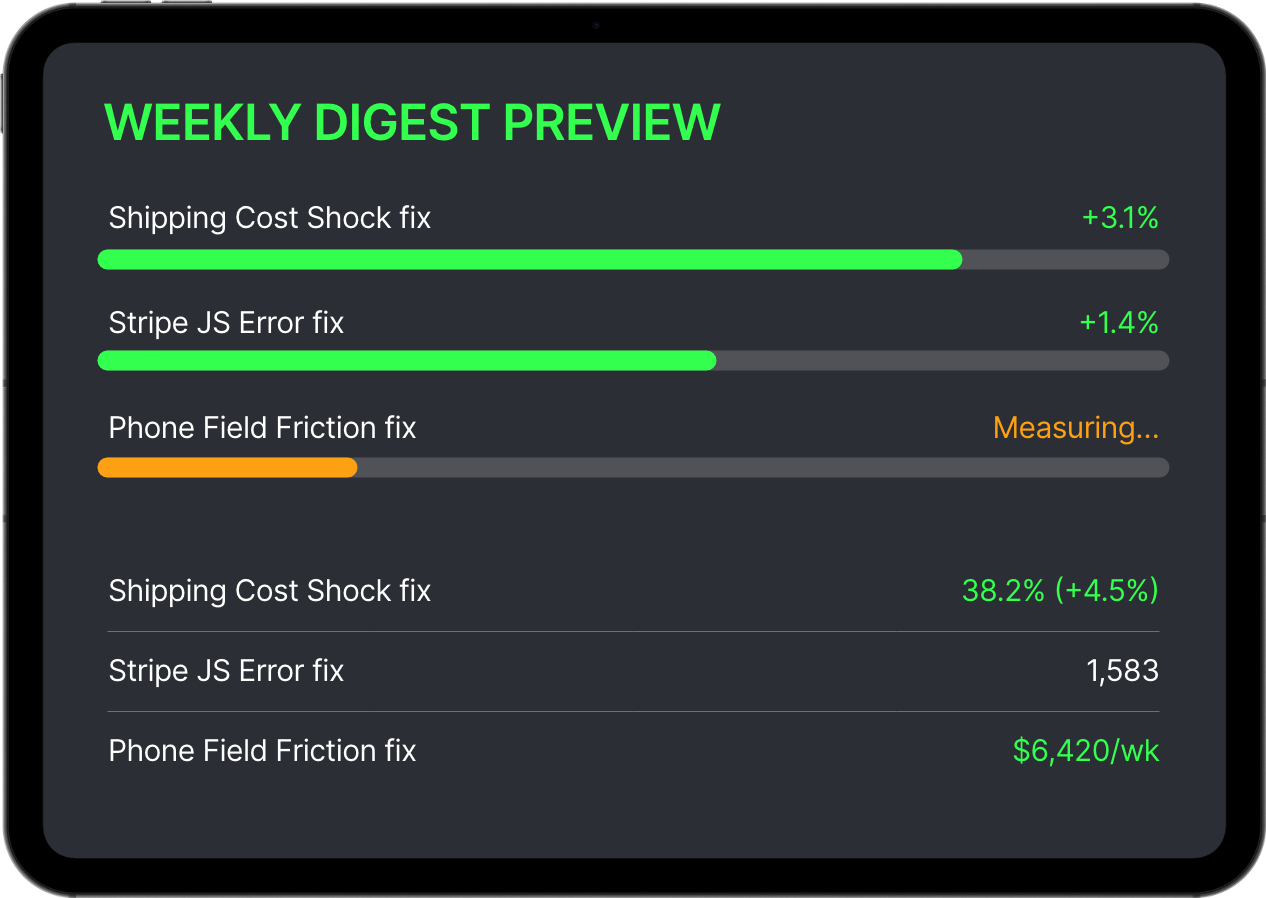
After you mark an issue as "Done," CartDoctor does not stop watching. It continues monitoring your checkout and compares your current completion rate to the baseline recorded when you fixed the issue.
Each week, your email digest shows the delta:
"Completion rate: +2.3% since fix"— your change is working
"No change yet (may need more time)"— keep watching
"Completion rate: -0.5% since fix"— something else may have changed
Over time, you build a history of fixes and their real impact on revenue. No guessing. No assumptions. Just data.
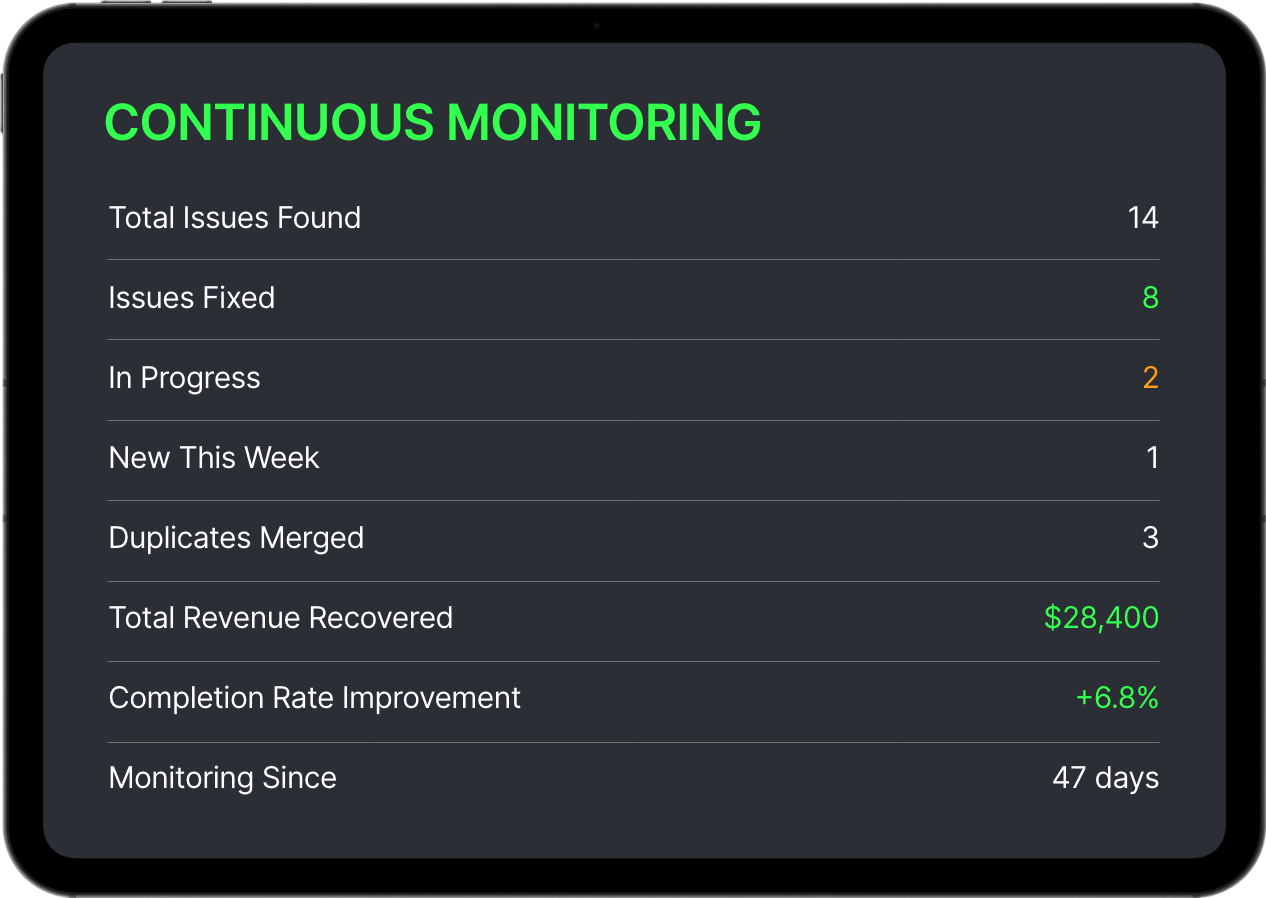
WooCommerce checkout optimization is not a one-time project.It is an ongoing process. CartDoctor makes it systematic, data-driven, and effortless.
DAYS 1 – 7
Silent Observation
Your store is not static. New plugins, new products, seasonal traffic patterns, payment gateway updates — any of these can introduce fresh WooCommerce checkout friction. CartDoctor keeps watching.
New issues surface automatically as your store changes. You do not need to re-run anything or trigger a new analysis. It happens daily.
Issues are deduplicated. If the AI detects the same problem across multiple analysis runs, it merges them into one issue and updates the session count instead of creating duplicates.
Your Kanban board becomes your ongoing checkout optimization roadmap — a living document of what you have fixed, what you are working on, and what is coming next.
UNDER THE HOOD

Technical Details
For developers and agencies who want to know exactly what CartDoctor does at the infrastructure level.

Data Flow
JS Tracker (frontend) → WordPress REST API → wp_cd_checkout_sessions table
→ WP-Cron (daily batch) → HMAC-authenticated proxy → AI Analysis
→ wp_cd_issues table → Kanban Dashboard

Database Tables
cd_checkout_sessions — raw session event data
cd_issues — AI-generated issue objects
cd_analysis_log — analysis run history
cd_usage — license and feature usage
cd_aggregate_stats — hourly aggregates for stateless mode

Consent Management
Integrates with major consent management platforms. We recommend pairing CartDoctor with one of these complementary consent plugins to ensure full compliance:
CookieYes— popular all-in-one consent solution
Cookiebot— automated cookie scanning and consent management
Complianz— WordPress-native GDPR/CCPA consent plugin
Moove GDPR
Falls back to stateless mode when no consent is detected: zero identifiers, hourly aggregate buckets only.

Compatibility
WooCommerce 6.0+ required
HPOS compatible (High-Performance Order Storage)
Classic shortcode checkout supported
Block checkout supported
PHP 7.4+ (8.0+ recommended)
Vanilla JS tracker — no jQuery on frontend

Security
Server-to-server communication only
HMAC-authenticated API requests
No PII collected or transmitted
Data stored in your WordPress database
No external scripts loaded on frontend
All output escaped per WordPress standards